
Existing users of the of the superseded blue icon VPass visitor App may use their existing credentials to log in to the VPass In app.
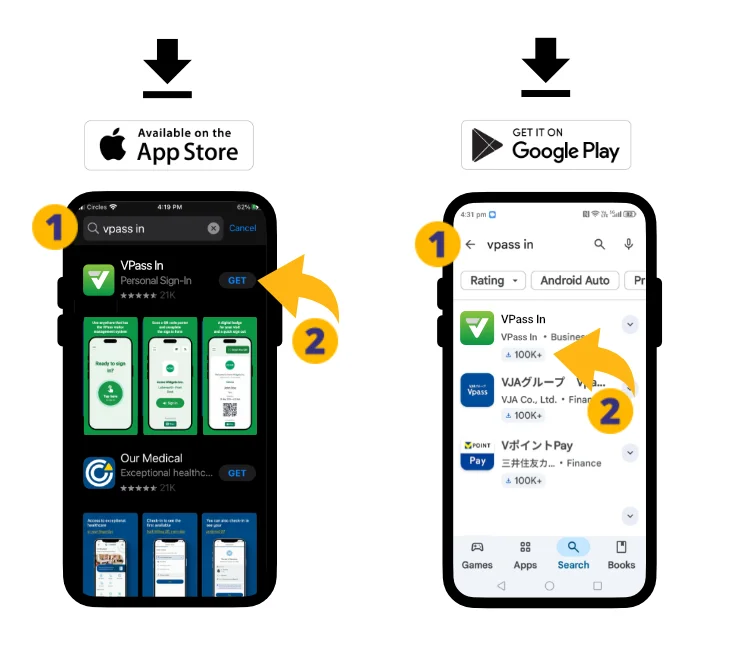
1. On your phone, go to the Apple App Store (iPhone) or Google Play store (Android) and do a search for “VPass In”. Download and open the App (2).
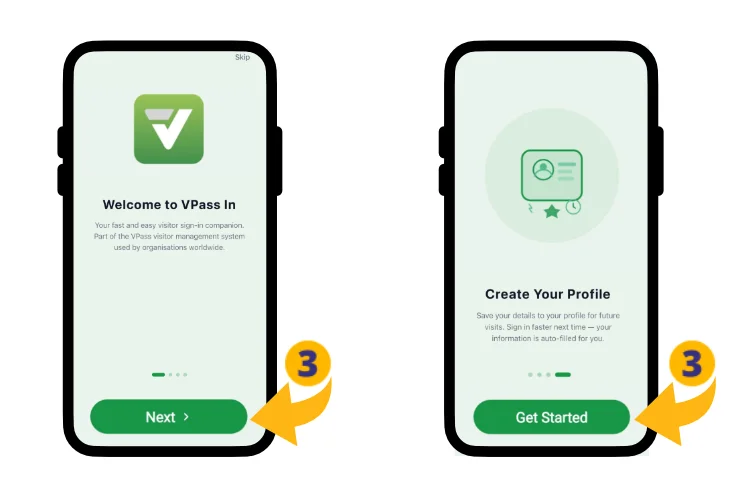
3. On the Welcome screen, swipe through the Walkthrough and tap “Create Profile”.
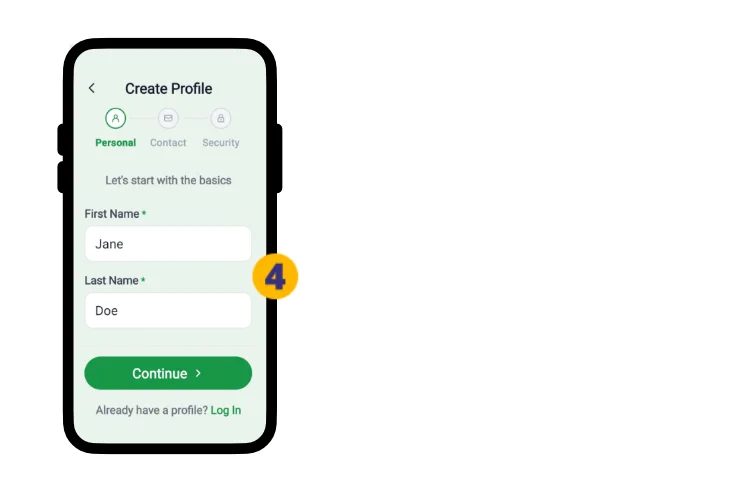
4. Provide your First Name and Last Name and tap “Continue”.
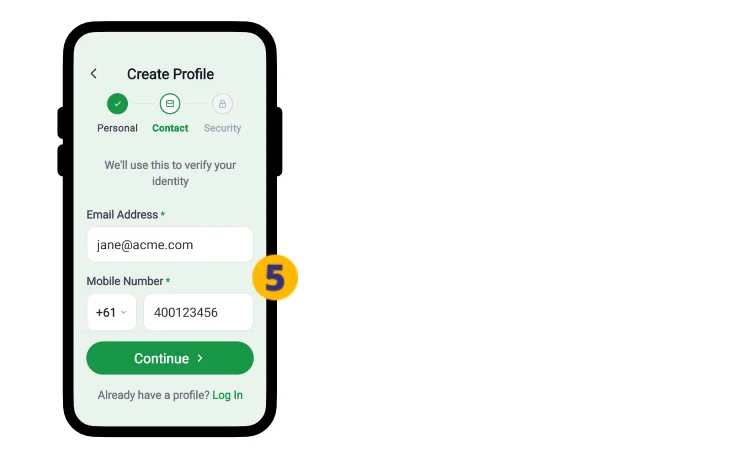
5. Add your Email Address, Country Code and Mobile Number.
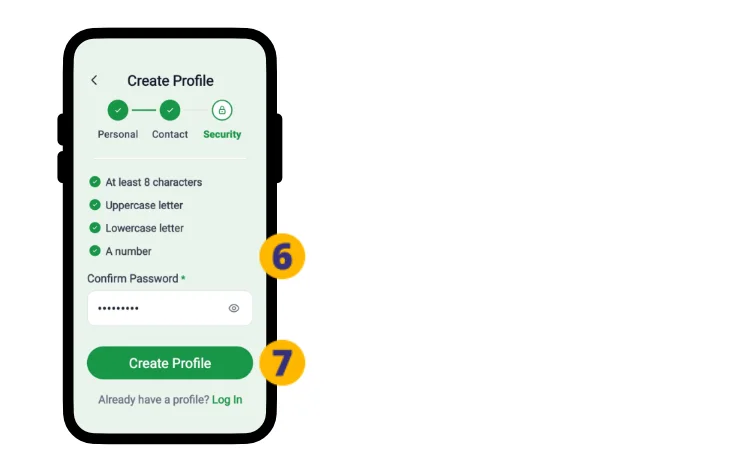
6. Create a Password.
7. Tap Create Profile.
8. An email is sent to your address for confirmation. Tap Verify Email Address.
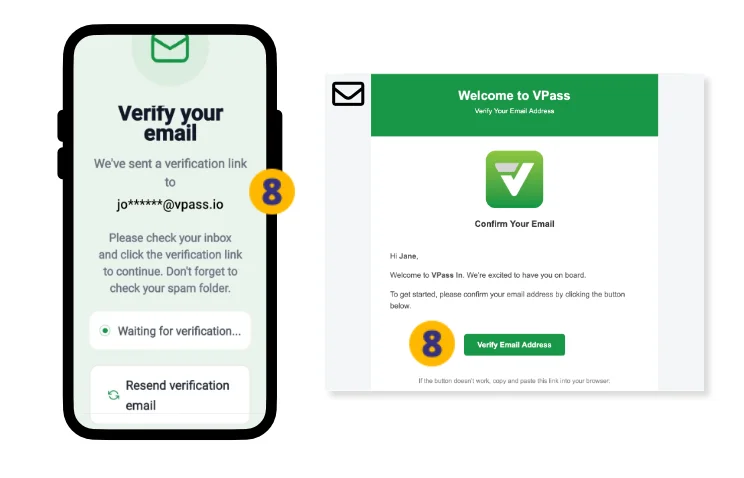
If prompted, you may wish to have your phone save your password.
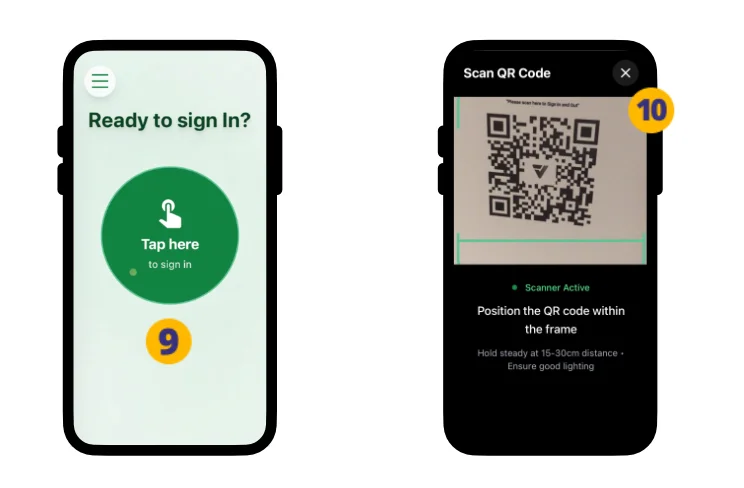
9. You are now logged in and ready for your first sign in – tap the green button.
10. Scan the VPass QR code poster.
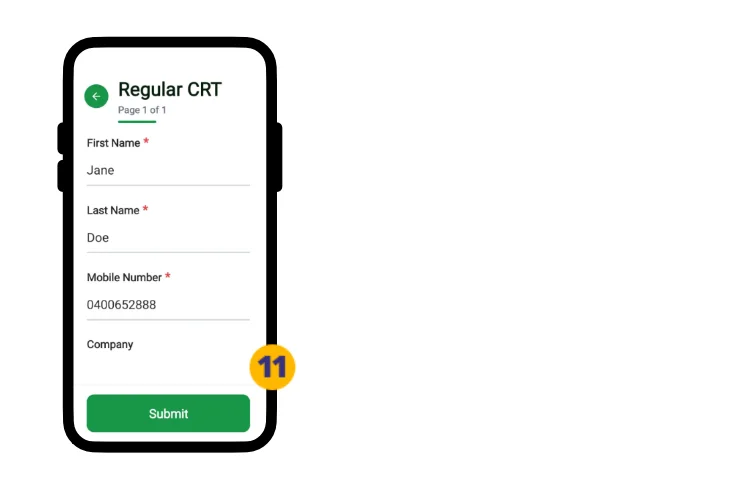
11. If prompted, fill the Sign In Form.
12. Success.
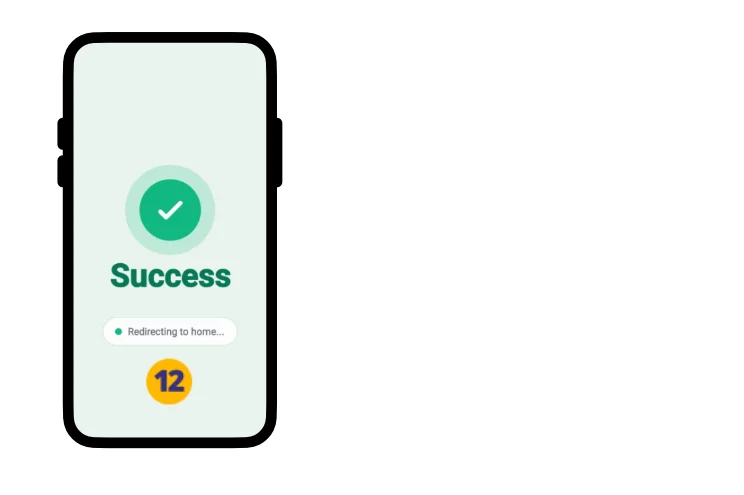
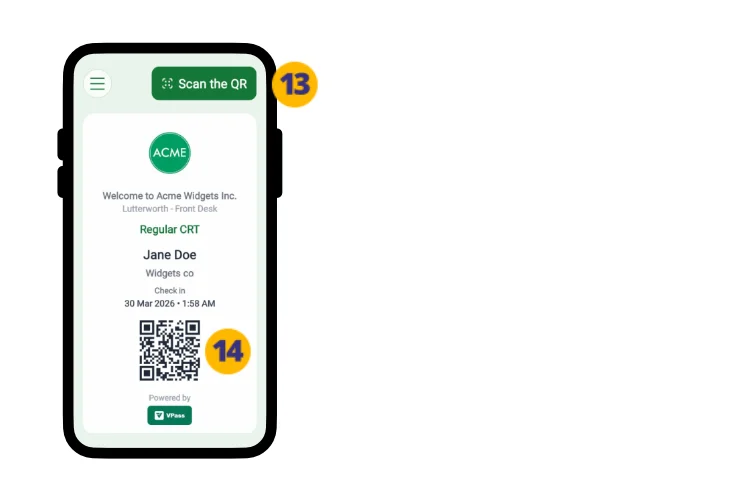
The Badge screen will display. Tap Sign Out (13).
…or use the QR code to scan out at a Kiosk (14).
Your Profile fields on future sign in forms will auto-fill.
Download this article as a printable PDF.
V3-117