
The Attendance Mapping feature allows you to define a full complement of custom reasons (displayed in VPass) for student Late Arrivals or Early Leaves. These reasons are then matched (mapped) with Attendance Marks provided by Arbor.
To define your reasons, go to your admin cog icon > People > Students page (1, 2).
3. At the top, click Attendance Mapping.
4. Click Add Reason.
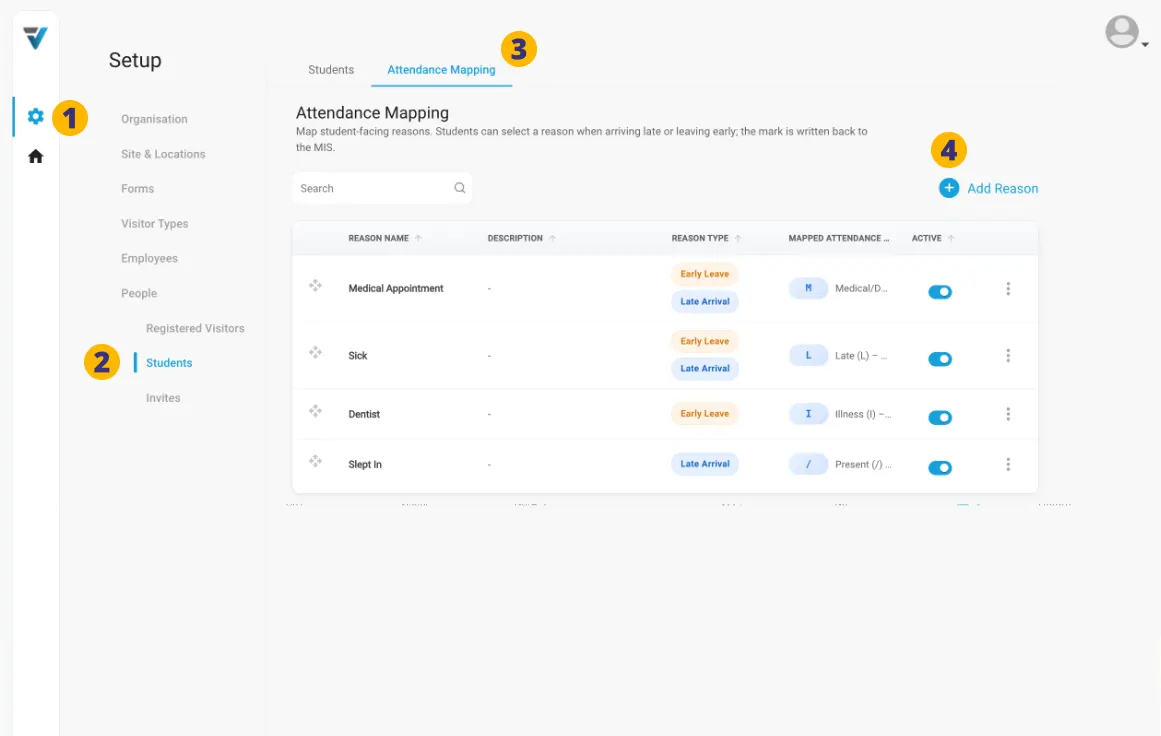
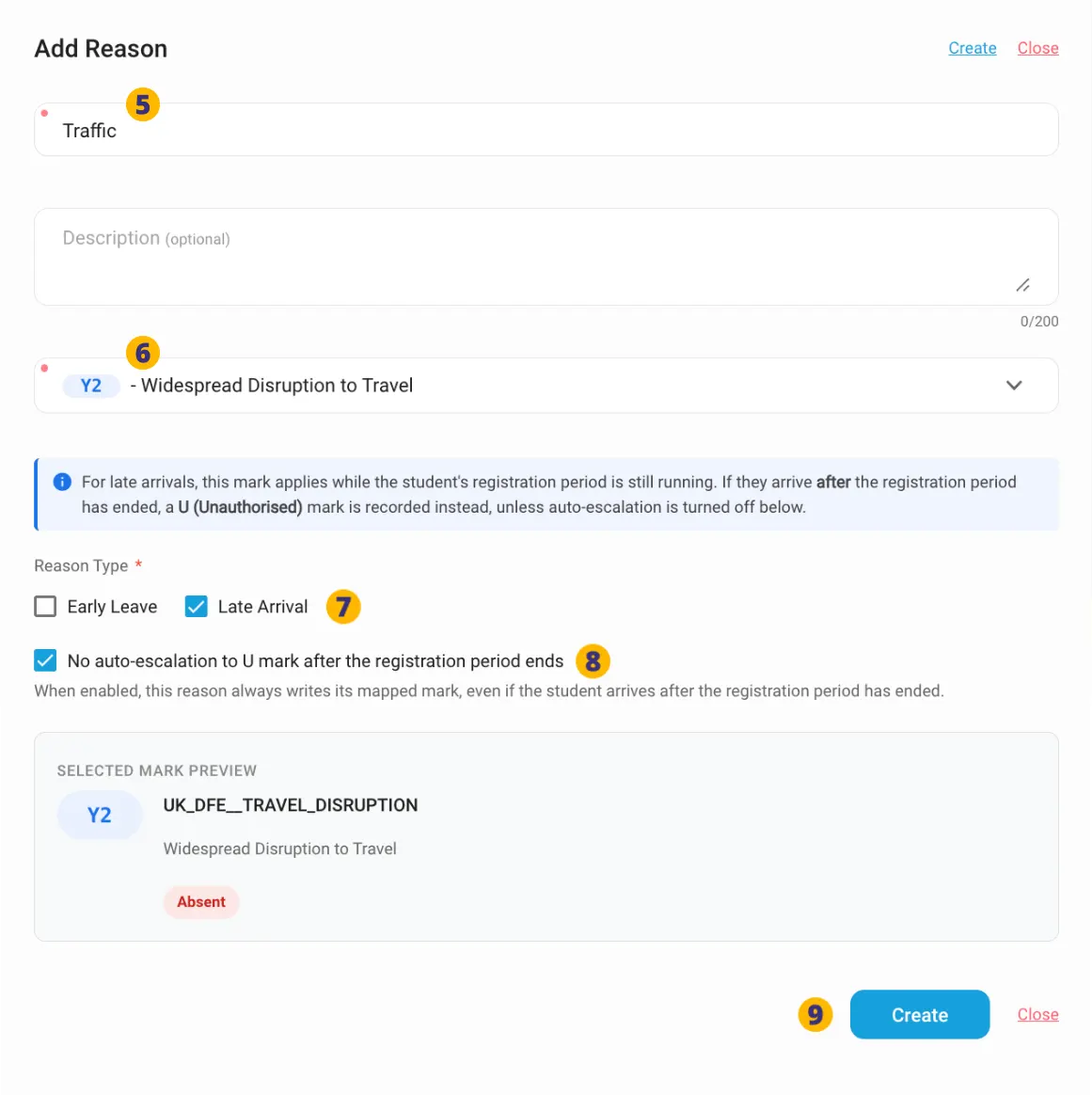
The Add Reason sidebar will appear.
5. Name your Reason.
6. Choose your Attendance Mark from the dropdown menu. These are a series of preset options provided by Arbor.
7. Elect whether to display the Reason for Early Leavers or Late Arrivals …or both.
8. If you do not wish Arbor to escalate the reason (eg: repeated lateness owing to traffic), check this box.
9. Create the Reason
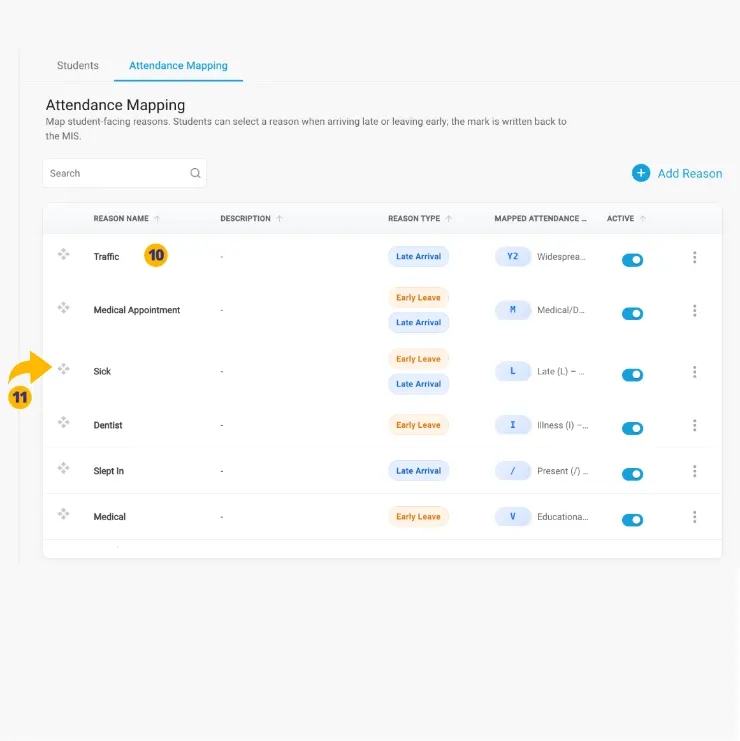
10. Continue creating Reasons as per your requirements.
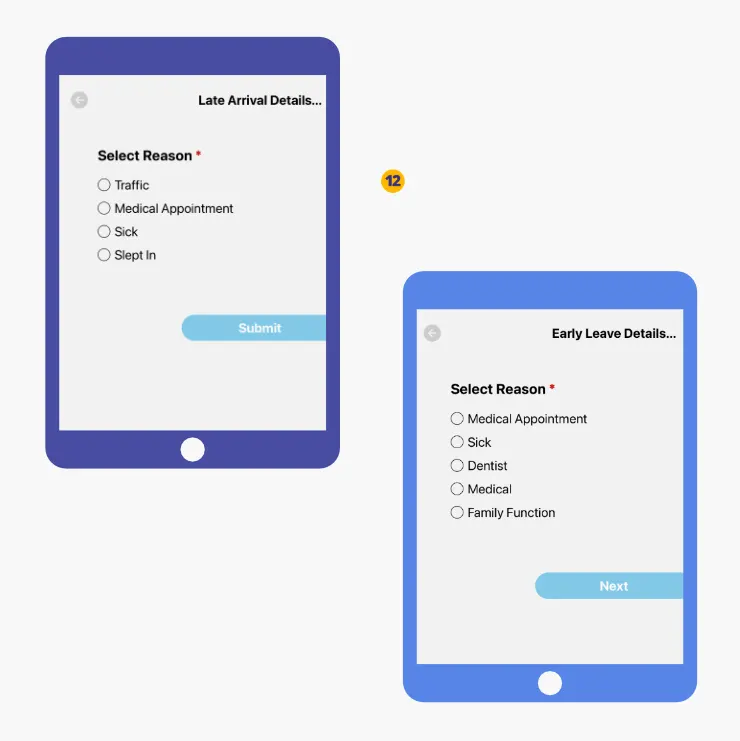
11. To have the reasons appear in a particular order in your VPass kiosk use the drag and drop handle on the left hand side.
12. The order created in the VPass admin is reflected in the kiosk Late Arrival and Early Leave pages.
Definitions
Attendance Mark: the code or label a teacher records on a register to show whether a student is Present, Late, or Absent (e.g., / for present, L for late, N for no reason/absent, and U for late after the register closes). These marks are then used in attendance statistics and certificates.
U-Mark: When a student arrives late after the official register has closed, they should be given the U code (Late after register closes), which counts as an unauthorised absence for that session.
V3-118