
For schools with the VPass / Simon integration only.
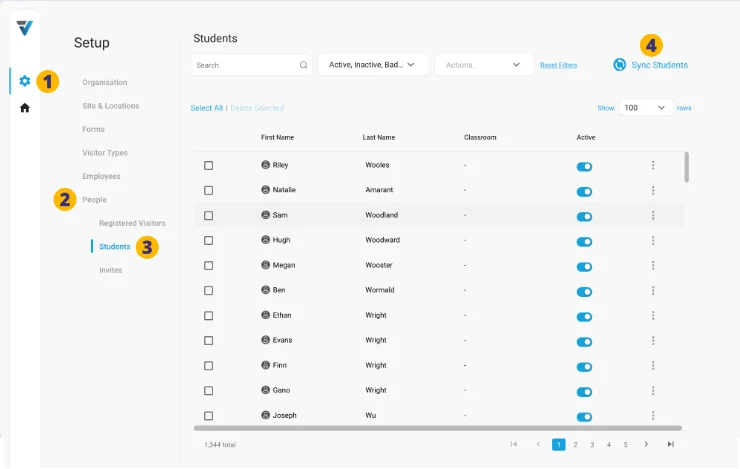 5. A success message will come up. Your Simon student data is now up to date in VPass.
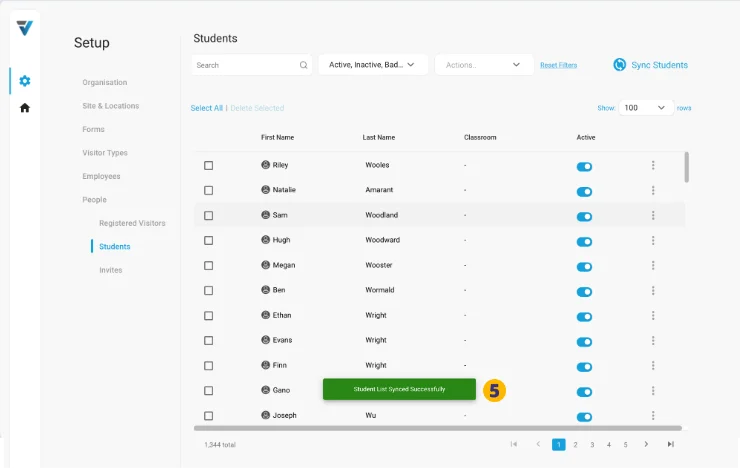
If no data is showing, navigate away from the Students page and back again. Your Simon student records should now appear.
V3-115